Cyber awareness · Reporting
Reporting that answers the board and the auditor
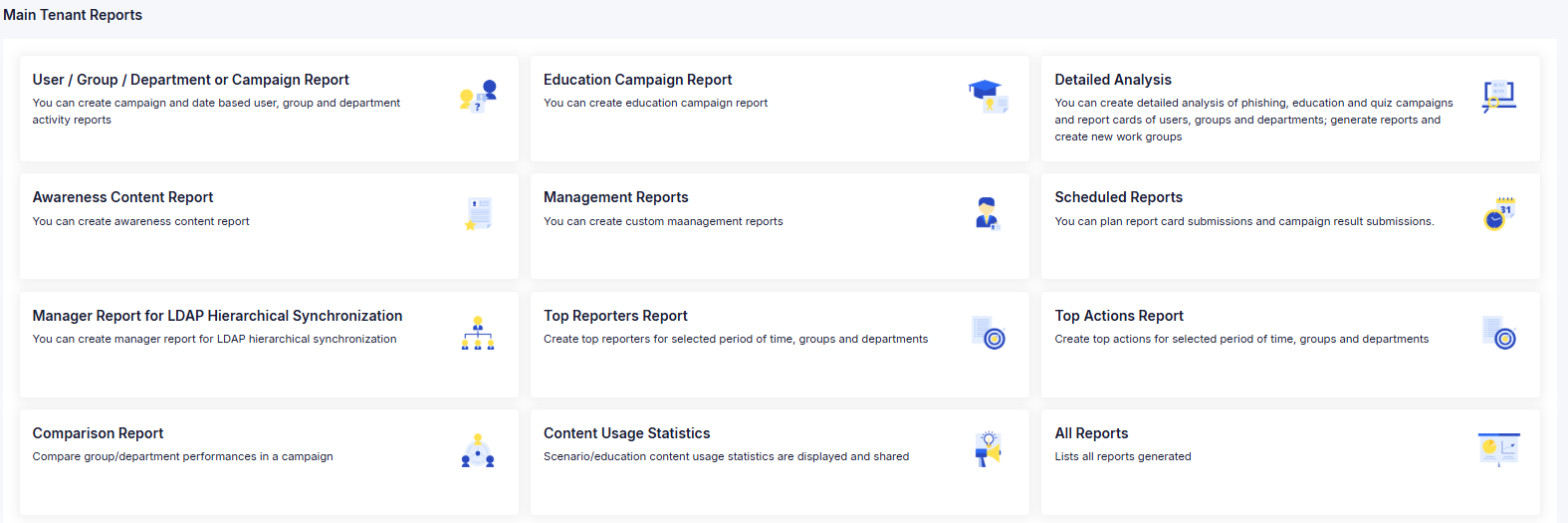
The board wants to know whether the risk is going down. The auditor wants to know whether a named person completed a named training on a specific date. Managers want to know how their own team is doing. These are different questions, and the platform answers each one in the format it needs.
Four inputs, and you set what each one is worth
Every employee carries an awareness score built from four things: how they behave in simulations, whether they complete training, how they score in quizzes, and whether they report suspicious email. You set the weight of each, so if reporting matters most to you, it counts most.
The same view rolls up to teams and departments, which is where you see whether the risk sits in one function or across the organization.
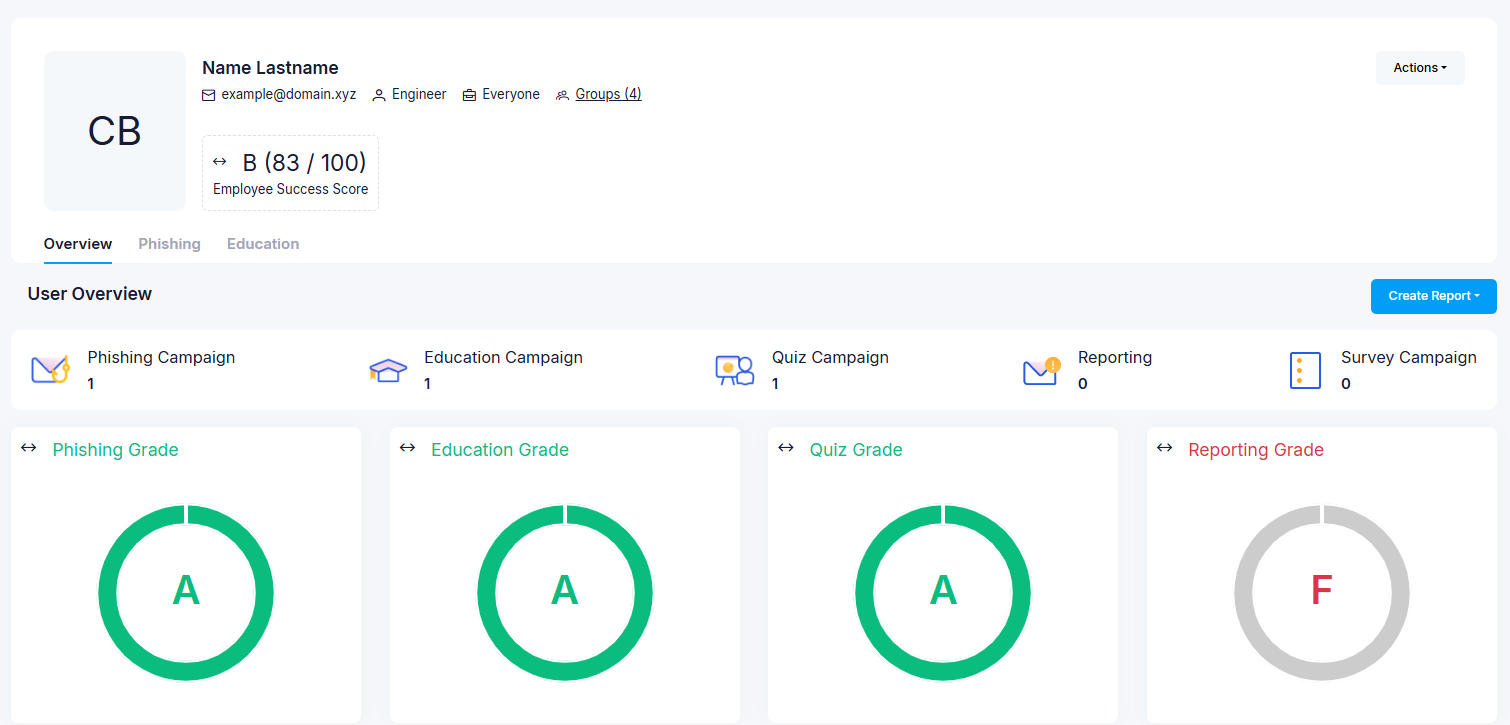
- An overall grade, plus separate grades for phishing, training, quizzes and reporting
- A human risk score, and how it has moved over time
- Which attack types this person is most vulnerable to
- Every campaign, training and quiz they have received, and what they did with it
A management report you shape yourself
Build a PDF by choosing the campaigns and then the blocks you want: an executive summary in your own words, coverage, organization-wide results, behavior by attack type, training completion and the trend behind it. Short, shaped by you, and comparable from one quarter to the next.
An overview dashboard gives the same picture live — overall awareness score against target, simulation behavior and reporting trends, training and quiz success — and exports as a PDF for the last three, six or twelve months.
Their own people, without asking anyone
Manager reports by hierarchy
Using the reporting lines in your directory, each manager gets a report on their own part of the organization, level by level.
Scheduled scorecards
User, group and department scorecards, and an executive summary, sent automatically to the people who need them, weekly or monthly.
Comparison reports
Put groups or departments side by side within a campaign — useful for spotting the team that needs a second round.
Top reporters
The people who report the most suspicious email. Recognizing them is one of the cheapest ways to make reporting normal.
A program description is not evidence
What counts is a record per person. The platform exports it as Excel or CSV.
Filter by person, group, department, campaign or date range — this month, the last three, six or twelve, or a range you set. The detailed-analysis report goes further for in-depth questions.
- The named person, with group and department
- Each simulation, training and quiz they received, with sent and completed dates
- Quiz score against the pass mark
- Policy acknowledgements, with acceptance dates
- Awareness content delivered to them: newsletters, tips, posters, podcasts
Who did what in the console, and when
Administrator actions — sign-ins, user changes, campaigns created and finished — are logged with actor, address and time, and the log can be forwarded to your SIEM over Syslog.
The role list includes an Auditor role for read-only review and a Manager role scoped to reporting, so neither needs an administrator account to do their job.
Separate tenants, one view on top
Subsidiaries can run as separate tenants, with a group-level view above them: manager reports across selected subsidiaries, phishing-performance comparisons between them, and survey comparisons in Excel.
Frequently asked questions
The questions we hear most often from security and IT leaders.
Something not covered here? Ask us directly
Two, tracked over time: the share of people who fall for simulations, and the share who report them. The first should fall and the second should rise.
The second matters more, and it is the one most programs forget to show, because it is the number that turns a workforce from an attack surface into a detection layer. Training completion is a supporting figure — it shows the program is happening, not that it is working.
If you decide they should. Manager reports follow the hierarchy in your directory and can include named results.
Many organizations agree the level of detail with their works council first, and we recommend settling it before the first campaign rather than after one. A program that people believe is being used against them stops producing honest reporting, which is the thing it exists to produce.
They can, and early in a program they often do. Some email security tools open messages and follow the links in them before the recipient ever sees the mail, which registers as a click that nobody made.
We identify those during setup, configure the mail flow so they do not register, and check the first campaign’s click data before anyone draws a conclusion from it.
Yes. The awareness score is a weighted combination of simulation behavior, training, quiz results and reporting, and the weights are yours to set — so if reporting is the behavior you care most about, it can count most.
Further settings control how repeat clicks, repeated data entry, a first report and clicks on real phishing affect an individual’s score.
Where to go next
Integrations & security
Entra ID, LDAP, Microsoft 365 delivery and forwarding to your SIEM.
Ready to get started?
Partner with Spirity Enterprise to implement the right security and IT solutions for your organization.